Unified Voice Operations for Every PBX 14+ Drivers. Real-Time Wallboards. Emergency Alerts. Phone Display. Multi-Tenant.
EVOA is a unified voice operations platform: call accounting, real-time Mitel CX wallboards via SignalR, SNMP-driven emergency alerts, phone display for Mitel 6900, and a Windows desktop notifier — all from a single modern Blazor UI on .NET 10. 14+ PBX drivers across Mitel, Avaya, Cisco, and Alcatel-Lucent, tested against real production CDR.
Everything You Need for Enterprise Call Management
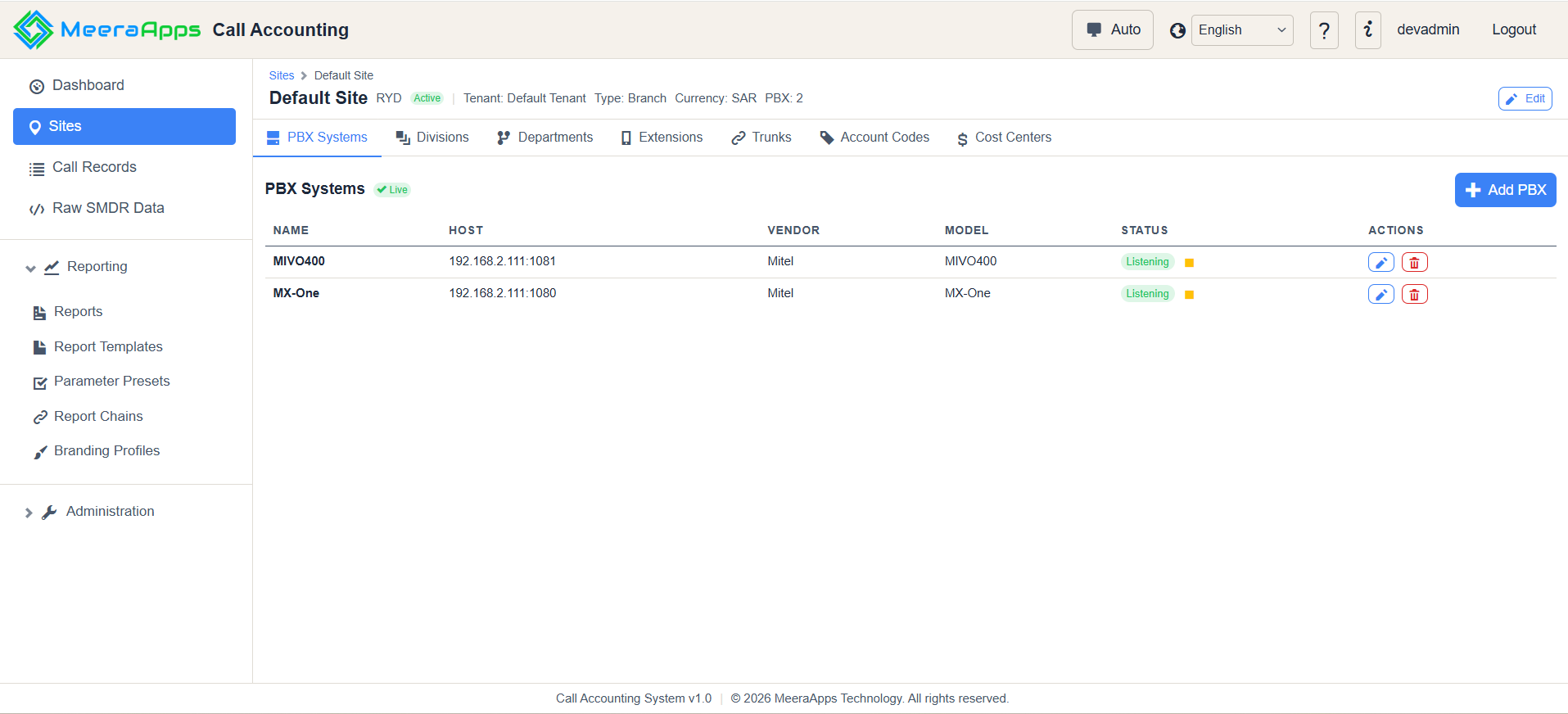
Connect to 14+ PBX systems across four major vendors. TCP Push, TCP Pull, and SFTP collection methods ensure compatibility with any deployment.
Live supervisor dashboards streamed from Mitel CX via SignalR — not report-refresh polling. Queue Waiting Interactions widget, per-agent presence, TV kiosk mode, and Alert Center overlays across browser, phone, and TV.
Built with Blazor WebAssembly for a fast, responsive experience. Access your data from any browser — no plugins or desktop client required.
Manage multiple organizations, sites, and PBX systems from a single installation. Role-based access control ensures data isolation between tenants.
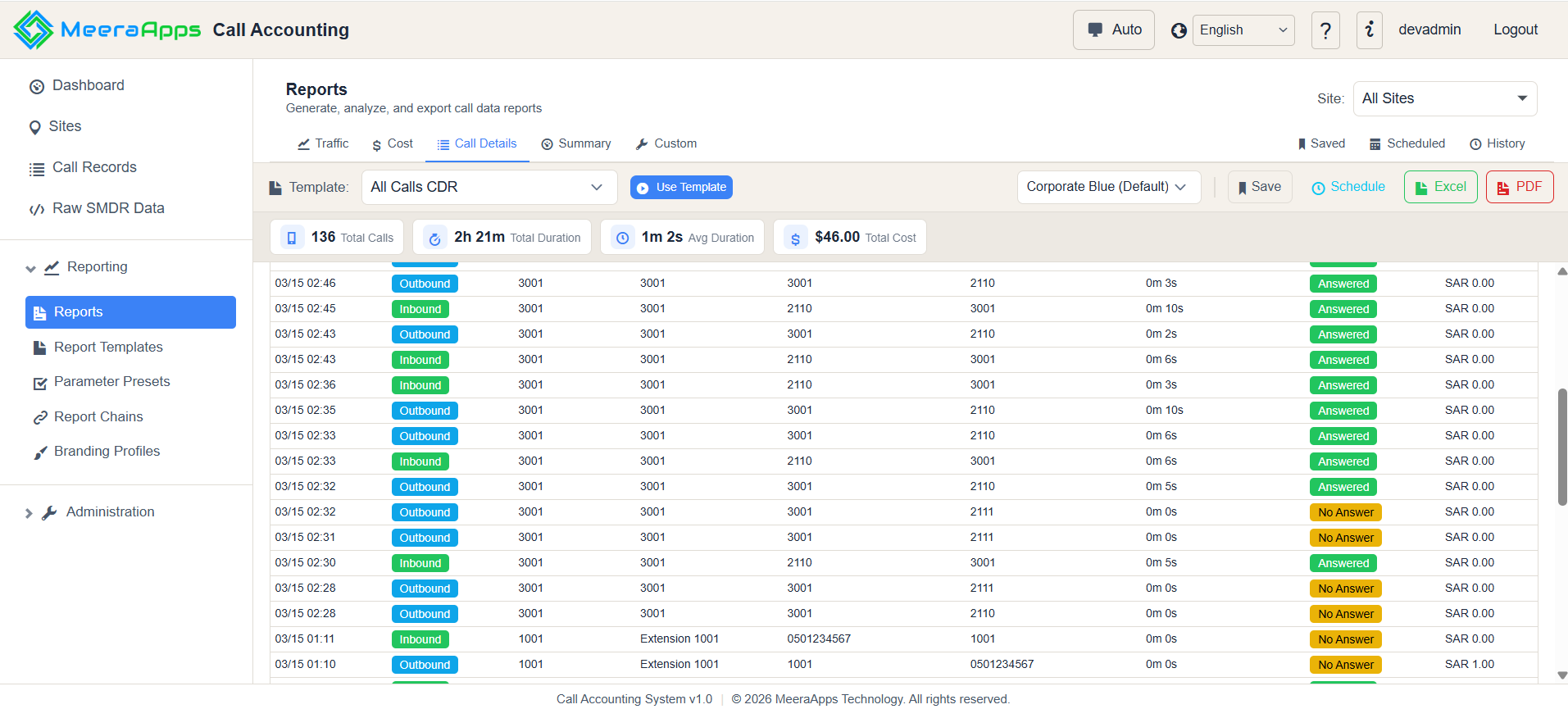
Generate comprehensive call reports by extension, department, trunk, or cost center. Export to Excel and PDF. Schedule automated report delivery.
Track call costs with configurable tariff tables. Identify expensive calling patterns, allocate costs to departments, and optimize trunk utilization.
Mitel CX ACD analytics built in — queue performance, agent productivity, digital channels, IVR workflows, and AI-powered insights. No separate application needed.
Dedicated SNMP Trap Receiver decodes Mitel Emergency Response events (911 / 999) against the MITEL-ERN MIB, correlates against a CESID location map, and fans out to phones, desktop notifier, and email groups in under a second. Full acknowledgement fabric across all surfaces.
Turn every Mitel 6900 handset into an EVOA surface. Push status screens, ACD Agent Status live presence, caller-tag surfacing with per-tag push flags, full-color ImageScreen for branded displays. Model-aware layouts for 6920, 6930, and 6940. Licensed per seat.
Lightweight Windows tray app — signed, silent auto-update, no browser session required. Full-screen popups for emergency, VIP, tagged-caller, and alert-rule events. Per-category custom sounds, hardened SignalR reconnect, Certum EV signed for zero SmartScreen warnings.
When an emergency cannot wait for somebody to look at a screen, EVOA picks up the phone and speaks. A pool of SIP extensions registered on the PBX places spoken callouts to internal extensions, external mobiles, and paging groups that answer themselves. A panic number dialled from any handset starts a scenario instantly. The same trigger can also push the alert to Mitel 6900 screens, the desktop notifier and email, so one emergency reaches every surface at once. Primary and secondary PBX failover, optional keypress acknowledgement, and a per-event delivery log recording every call, screen and message.
Every abandoned queue call becomes a trackable callback task, detected automatically from Mitel CX data with no CTI integration required. Tasks are keyed by caller rather than by call, so somebody who tried six times is one task and not six. Supervisors assign the work, agents record each attempt and its outcome against reason codes, and EVOA watches for callers who got through on their own — flagging those tasks before anyone wastes a call. From the signed Windows desktop client an agent calls back in one click, placed through Mitel CX as that agent under the site's outbound dialling rules. Supervisor board, per-agent list, and Excel and PDF exports carrying your branding profile.
Mitel CX Call Center Reporting
Purpose-built ACD analytics for Mitel CX deployments. Track queue performance, agent productivity, digital channels, and IVR workflows — all within the same unified interface as your CDR reporting.
Per-queue metrics: offered, answered, and abandoned calls; service level; average wait and handle times; overflow and interflow statistics.
Individual performance tracking: ACD calls, talk time, wrap-up, utilization %, make-busy, DND, and full login/logout audit trails.
Mitel CX Digital reporting across all media types — digital queue performance, agent activity, and interaction detail for voice, chat, email, and more.
IVR workflow and condition performance, port utilization tracking, ANI/CLI analysis, and subroutine-level drill-down reports.
Intelligent call center summaries and anomaly detection powered by your choice of AI provider — Anthropic, OpenAI, Azure OpenAI, or on-premises Ollama.
Design your own ACD reports with custom column selection across all data sources. Save configurations, schedule automated delivery, and export to Excel or PDF.
Built for Scale and Reliability
A dedicated Windows Service handles all PBX connections. Runs independently of the web interface, ensuring CDR data is collected 24/7 even during maintenance windows.
- Automatic reconnection on PBX failures
- Buffered CDR processing for high-volume systems
- Delayed-auto start + failure actions for power-loss recovery
A separate Windows Service listens on UDP 162 for SNMP traps from Mitel Emergency Response, decodes them against the MITEL-ERN MIB, and hands events to the Web API for fan-out to phones, notifier, and email groups.
- Local trap-source allow-list
- CESID location correlation
- Sub-second event dispatch to all recipient channels
Blazor WebAssembly frontend with ASP.NET Core Web API on .NET 10. Hosted on IIS with the /api + /ui split. Embedded SignalR client streams events from Mitel CX; SignalR hub pushes to browser, phone, TV, and desktop notifier surfaces.
- RESTful API + SignalR real-time hub
- PostgreSQL 17 (master + per-tenant databases)
- Role-based access with tenant-scoped permissions
Three Ways to Collect CDR Data
Choose the method that works best for your PBX deployment.
The PBX pushes CDR records to the Collection Service over TCP. Real-time delivery with minimal configuration. Supported by most PBX systems.
The Collection Service connects to the PBX and retrieves CDR records on demand. Ideal for systems behind firewalls or with restricted outbound access.
Collect CDR files from an SFTP server or local folder. Automatic polling with configurable intervals. Perfect for Cisco CUCM and batch-oriented systems.
See It in Action
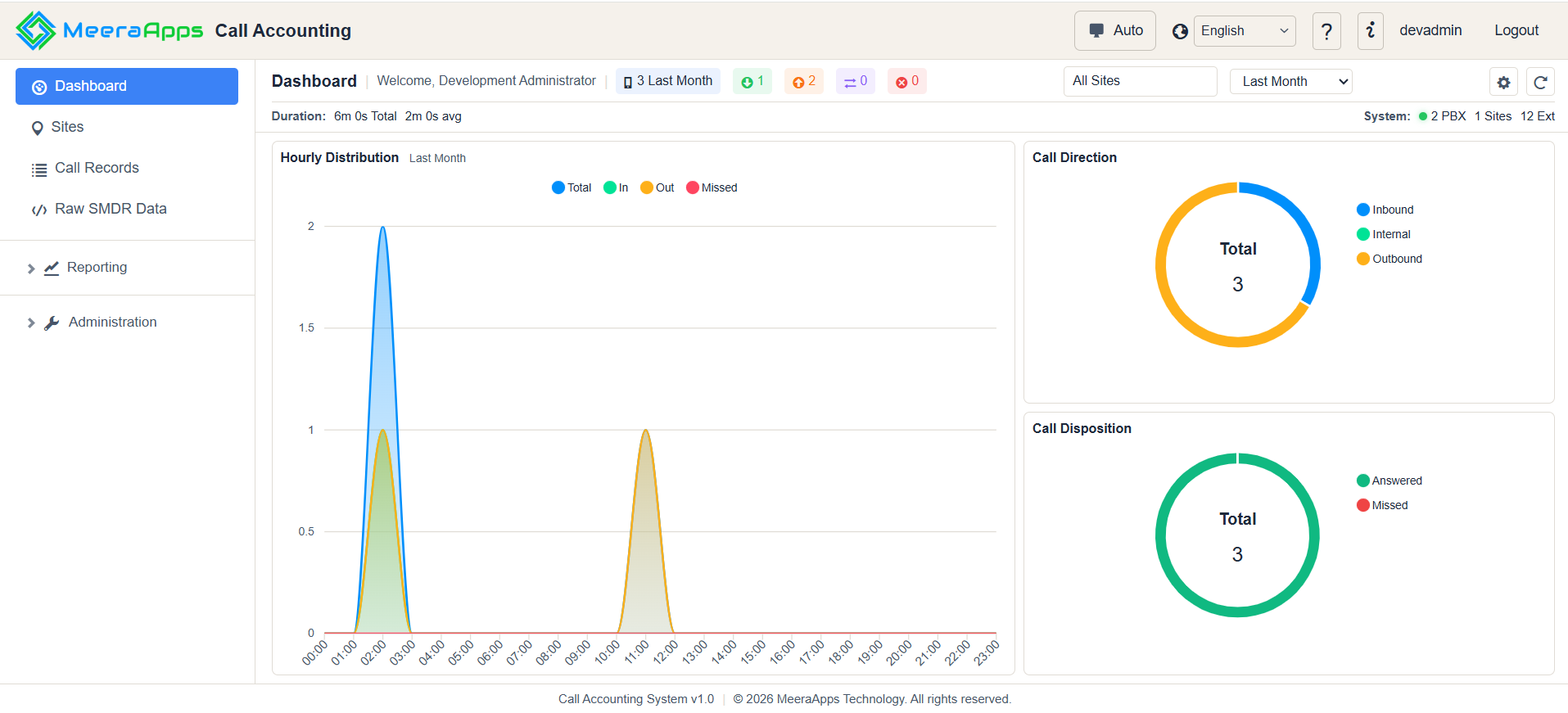
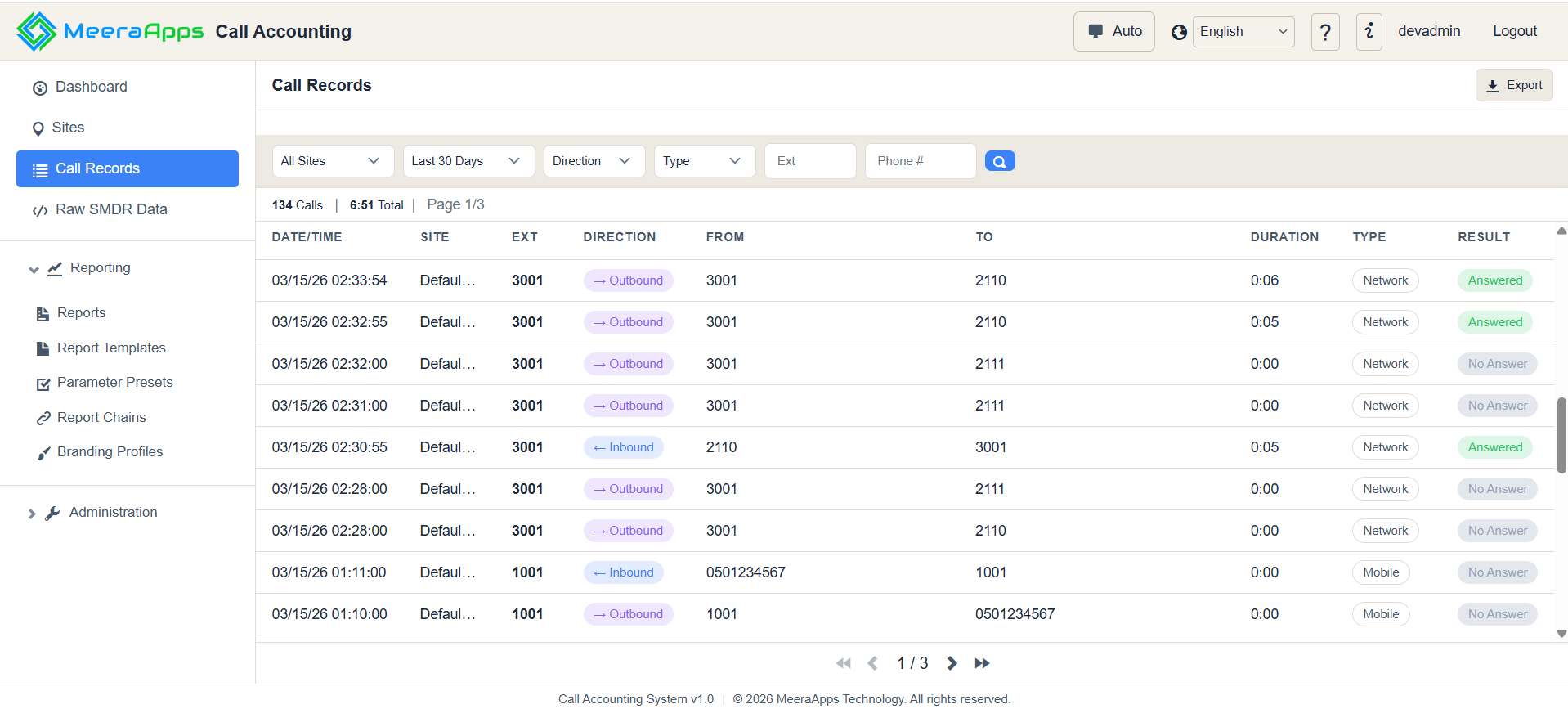
A closer look at the dashboards, call records, reports, and PBX management screens.